



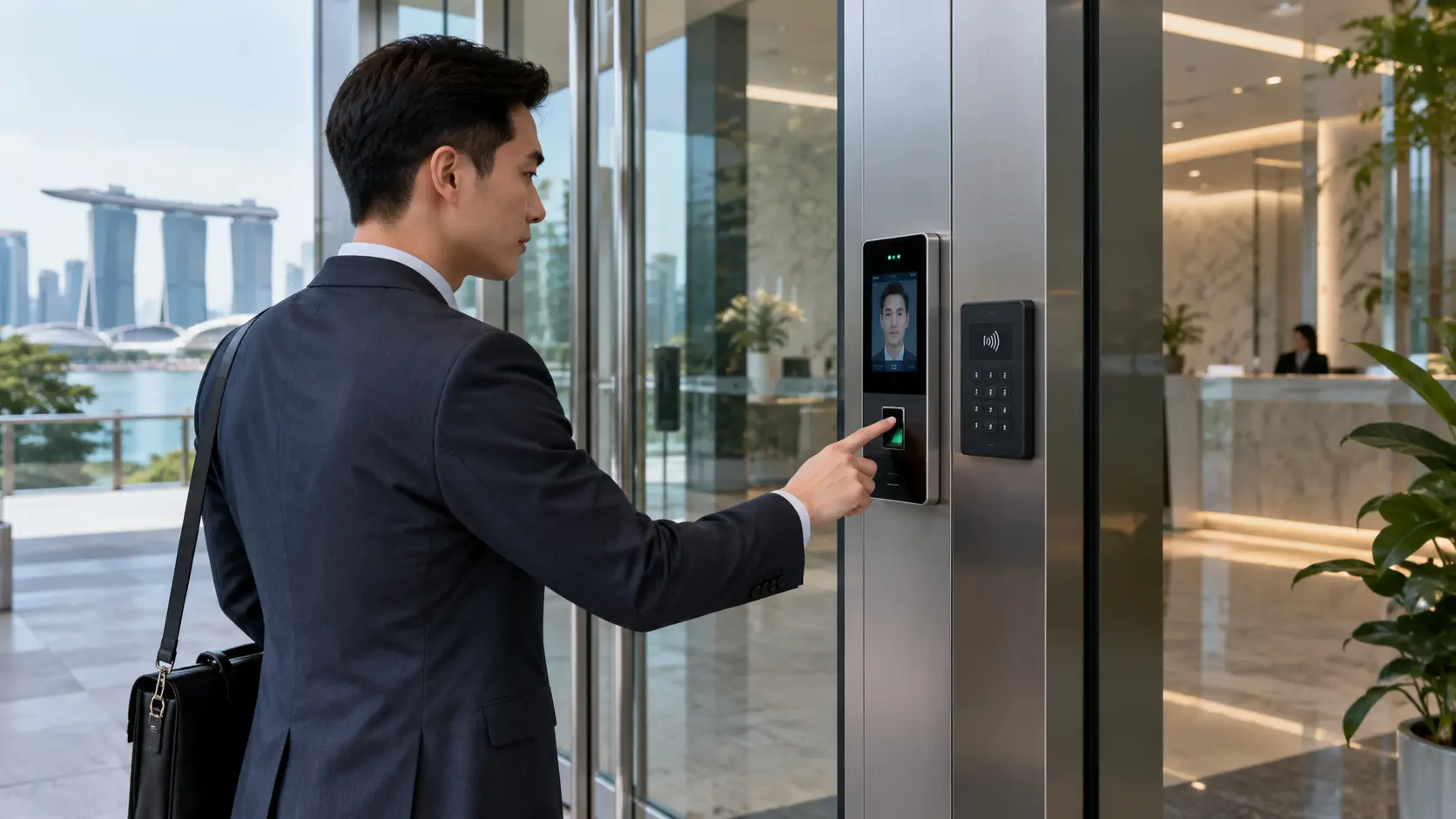
Security is no longer just about locking the door at the end of the day. For offices, commercial buildings, warehouses, retail outlets and other premises in Singapore, an effective access control system can help determine exactly who is allowed to enter specific areas, when they may enter, and how their access activities are recorded.
Modern door access systems replace or supplement conventional keys with electronic credentials such as PIN codes, access cards, fingerprints or facial recognition. Besides improving physical security, they make it easier for businesses to manage employees, visitors and restricted areas without having to replace physical locks whenever a key is lost.
In this 2026 guide, we look at the major types of access control systems available in Singapore, how they work, their advantages and limitations, and the factors to consider when choosing the right solution for your premises.
What Is a Door Access System?
A door access system is an electronic security solution that controls entry to a building, room or restricted area.
Instead of relying solely on a conventional mechanical key, an authorised person presents a credential to an access reader. Depending on the system, that credential could be:
- A PIN or password
- An RFID or proximity card
- A key fob
- A fingerprint
- Facial recognition
- Another biometric credential
- A combination of two or more authentication methods
When the credential is successfully verified, the access controller sends a signal to release the electronic lock.
Depending on the configuration, an access control system can also record entry and exit events, assign different permissions to different users, restrict access according to specific schedules and integrate with CCTV, alarm or other security systems. Astrol Security’s access-control solutions, for example, can be configured around PIN, card and biometric technologies and integrated as part of a broader premises-security setup.
Why Are Access Control Systems Important for Singapore Businesses?
Traditional keys remain useful, but they have several limitations.
If an employee loses a physical key, businesses may need to replace the lock or issue new keys. There is also limited visibility over who entered a protected area or when the entry occurred.
Electronic access control makes administration significantly easier.
A company can deactivate a lost card, remove a former employee’s access privileges, restrict certain doors to authorised personnel and review access records when necessary.
This is particularly useful for premises such as:
- Corporate offices
- Warehouses and logistics facilities
- Factories
- Server and IT rooms
- Laboratories
- Retail stores
- Schools and educational facilities
- Clinics and healthcare facilities
- Commercial buildings
- Condominiums and residential developments
The right system depends on the number of users, number of doors, security level and how the premises operates.
Main Types of Door Access Systems
There is no single access-control technology that is ideal for every property. Most Singapore installations fall into three major categories: PIN access, card access and biometric access.
A PIN access system allows authorised users to unlock a door by entering a predefined numeric code on a keypad.
It is one of the simplest forms of electronic access control because users do not have to carry a physical card, token or key.
Advantages of PIN Access
No physical credential required
Employees and authorised users only need to remember their PIN.
Convenient for smaller installations
A keypad system can be suitable for offices, storerooms and other premises where the number of authorised users is relatively limited.
Easy credential changes
If a code has been compromised, it can generally be changed without replacing the physical locking hardware.
Useful as a second authentication factor
PINs can also be combined with cards or biometric authentication for locations requiring additional security.
Limitations of PIN Access
PINs can be shared between users, intentionally or accidentally. They can also be observed by someone standing nearby.
For higher-security environments, businesses may therefore prefer individual credentials or multi-factor authentication rather than relying on one shared PIN.
PIN access can be a practical choice for businesses that prioritise simplicity and convenience, while card or biometric systems may be preferable when stronger individual identification is required.
Card access is one of the most widely used forms of electronic access control.
An authorised employee presents a card or key fob to a reader. The system checks the credential against its database and unlocks the door when access is permitted.
Systems can be configured as standalone controllers for individual doors or networked systems covering multiple doors and locations.
Astrol Security’s current card-access range includes systems supporting technologies such as proximity cards, MIFARE-compatible credentials and multi-mode card/PIN configurations. Its card systems can also provide access logs and configurable permissions for different users and areas.
Advantages of Card Access
Individual credentials
Each employee can receive a unique card or fob.
Lost cards can be disabled
If a card is lost, administrators can revoke that credential instead of changing the door lock.
Access permissions can be customised
Different employees can be authorised for different rooms, departments or floors.
For example, general employees might have access to the main office while only designated IT personnel can enter a server room.
Access events can be recorded
Many systems maintain an audit trail showing credential activity, which can assist with security management and investigations.
Highly scalable
Card systems can work for a single office entrance or form part of a multi-door, networked access-control environment.
Limitations of Card Access
Employees still need to carry their credentials, and cards can be lost, forgotten or lent to another person.
The security level also depends on the credential and reader technology being used. Organisations with higher-risk environments should therefore assess the technology behind the card rather than choosing a system based solely on convenience.
Biometric access control verifies a person’s physical characteristics instead of depending only on something the user knows or carries.
Common technologies include:
- Fingerprint recognition
- Facial recognition
- Palm recognition
- Multi-biometric authentication
Astrol Security’s biometric range includes fingerprint, facial-recognition and face-and-palm access-control technologies.
Advantages of Biometric Access
Credentials are harder to forget
Unlike an access card, users do not need to remember to bring their fingerprint or face.
Stronger association between credential and user
A card or PIN can potentially be shared. Biometrics can provide stronger verification that the person requesting access is the enrolled individual.
Suitable for sensitive locations
Biometrics may be appropriate for server rooms, laboratories, management offices, restricted storage facilities and other areas requiring stronger identity verification.
Can be combined with other credentials
For higher-security environments, businesses may require combinations such as:
- Card + PIN
- Card + fingerprint
- Facial recognition + PIN
This creates multi-factor access control.
Biometric Systems and Singapore’s PDPA
Businesses should pay additional attention to privacy and data governance when using biometric technologies.
Singapore’s Personal Data Protection Commission has published guidance specifically addressing the responsible use of biometric data in security applications. Its guidance discusses biometric access control and recommends, among other measures, appropriate handling of biometric templates and clear consideration of the basis for collecting the information.
Organisations planning fingerprint or facial-recognition systems should therefore consider both physical security and the protection of the associated personal data.
PIN vs Card vs Biometric Access: Which Is Better?
| Feature | PIN Access | Card Access | Biometric Access |
|---|---|---|---|
| Credential | PIN Access Numeric code | Card Access Card/key fob | Biometric Access Fingerprint, face or other biometric |
| User convenience | PIN Access High | Card Access High | Biometric Access Very high |
| Physical credential required | PIN Access No | Card Access Yes | Biometric Access No |
| Credential can be shared | PIN Access Relatively easy | Card Access Possible | Biometric Access Significantly harder |
| Individual user identification | PIN Access Depends on configuration | Card Access Good | Biometric Access Strong |
| Suitable for many users | PIN Access Moderate | Card Access Excellent | Biometric Access Excellent |
| Best suited for | PIN Access Smaller/simple installations | Card Access Offices and scalable commercial systems | Biometric Access Higher-security areas |
| Multi-factor capability | PIN Access Yes | Card Access Yes | Biometric Access Yes |
There is no universal winner.
For a small internal storeroom, PIN access might be sufficient. For a company with dozens or hundreds of employees, a centrally managed card access system could make administration easier.
For particularly sensitive locations, biometric authentication or multi-factor access may offer additional security.
What Components Make Up an Access Control System?
The reader on the wall is only one component of a complete access-control installation.
A typical system can include:
Access Reader
This reads the credential presented by the user, such as a card, PIN or fingerprint.
Access Controller
The controller determines whether the credential is authorised and communicates with the locking system.
Electronic Lock
Depending on the door and application, installations may use electromagnetic locks, electric strikes, electric latches, bolt locks or other suitable locking hardware.
Exit Device
Users must also have an appropriate way to leave the protected area. Depending on the installation, this may involve an exit button, push bar, sensor or emergency-release arrangement.
Power Supply and Backup
Electronic security equipment requires a reliable power source. Appropriate backup arrangements may also be required depending on system design and operational requirements.
Management Software
Networked access-control software allows administrators to manage users, credentials, schedules, doors and access records centrally.
Optional CCTV and Alarm Integration
Access control can be even more useful when integrated with other security technologies.
For instance, access events can be used alongside CCTV footage when reviewing incidents, while alarms can provide additional notification when suspicious activity occurs.
Fire Safety Is an Important Part of Access-Control Design
Access security must never prevent safe evacuation.
Singapore’s SCDF Fire Code contains requirements governing electromagnetic and electromechanical locking devices used on relevant exit-access and exit doors.
Where the applicable requirements apply, access-controlled locking devices along escape routes must be arranged to release appropriately during emergencies. SCDF states that relevant electromagnetic/electromechanical access-control locks must be directly connected to the building’s automatic fire-alarm system so the locks can de-energise without delays introduced through intermediary access-control or building-management systems. Fail-safe locking devices are also designed to unlock under specified emergency or power-failure conditions, with manual override provisions required in applicable installations.
This is one reason professional system design matters. Choosing a reader and electronic lock is only part of the installation; door function, emergency egress, fire-safety requirements and integration with the building’s other systems must also be considered.
Choose a Properly Licensed Security Service Provider
Businesses should also consider the credentials of the company designing or installing the system.
The Singapore Police Force lists electronic access control systems, including card and biometric access-control systems, among Security Service Provider equipment. SPF states that activities including installing, maintaining, repairing, designing, selling and advising on regulated security equipment can require a Security Service Provider licence, subject to the applicable scope and exemptions.
When obtaining quotations, businesses can therefore check whether the proposed provider holds the appropriate licence for the work being performed.
What to Consider Before Installing a Door Access System
Before deciding which technology to purchase, consider these factors.
Number of Doors
A single-door office requires a very different system from a commercial property containing dozens of controlled entrances.
Number of Users
Consider your current workforce as well as future expansion. The system should have sufficient credential and transaction capacity.
Security Level
Ask what you are protecting.
A general staff entrance and a server room do not necessarily require the same authentication method.
Indoor or Outdoor Installation
Outdoor readers may require appropriate weather resistance and more durable enclosures.
User Management
Businesses with frequent staff turnover benefit from systems that make it easy to issue, modify and revoke credentials.
Audit Requirements
If access records are important, choose a system capable of maintaining and retrieving the required event logs.
Integration
Determine whether the access system needs to work alongside CCTV, intrusion alarms, intercoms or other building-security systems.
Emergency Egress and Fire Safety
The locking configuration must allow safe exit and comply with applicable Singapore fire-safety requirements.
Data Protection
If fingerprints, facial recognition or other biometric information will be collected, incorporate appropriate data-protection measures from the beginning.
Maintenance and Technical Support
Access control is an operational security system. Reliable after-sales support, maintenance and replacement parts can therefore be just as important as the initial hardware.
Standalone vs Networked Access Control
Another decision is whether to use standalone or centrally managed access control.
Standalone systems are usually configured at an individual door. They can work well for smaller sites with relatively straightforward access requirements.
Networked systems connect multiple controllers and doors to central management software. Administrators can manage users, permissions and records from a central interface.
For organisations with multiple departments, floors or controlled areas, networked systems generally provide greater flexibility and scalability.
Should You Upgrade From Traditional Keys?
Mechanical keys remain appropriate for many applications, but electronic access control offers advantages when organisations need greater control over users and permissions.
An upgrade is worth considering when:
- Employees frequently join or leave the organisation
- Lost keys create security concerns
- Certain rooms require restricted access
- Management wants access records
- Different users require different permissions
- Access needs to be restricted by time or location
- The business wants to integrate door security with CCTV or alarms
- Multiple entrances need centralised management
Instead of repeatedly changing locks and distributing new keys, administrators can manage electronic credentials through the access-control system.
Choosing the Right Access Control System in Singapore
The best access-control system is not necessarily the most technologically advanced option. It is the system that matches the property’s security risks, workflow, user population and compliance requirements.
For straightforward access control, PIN Access may provide the simplicity required.
For scalable employee and visitor management, Card Access remains a practical option for many commercial environments.
For higher levels of identity verification and credential-free convenience, businesses can consider Biometric Access using fingerprint, facial or other biometric technologies.
In higher-security environments, these methods can also be combined to create multi-factor authentication.
Secure Your Premises With the Right Door Access System
Access control has evolved considerably beyond conventional locks and keys. Today’s systems can provide centralised credential management, detailed access records, multi-factor authentication and integration with other security infrastructure.
However, a successful installation requires more than simply choosing between a keypad, card reader or fingerprint scanner.
Businesses should consider the physical door, user requirements, security risks, emergency egress, data protection, system scalability and long-term maintenance requirements before selecting a solution.
Astrol Security provides door-access solutions covering PIN, card and biometric technologies, together with security-system design and installation services for different premises requirements.
By selecting an appropriately designed access control system, businesses can improve security while making everyday access easier to manage.